
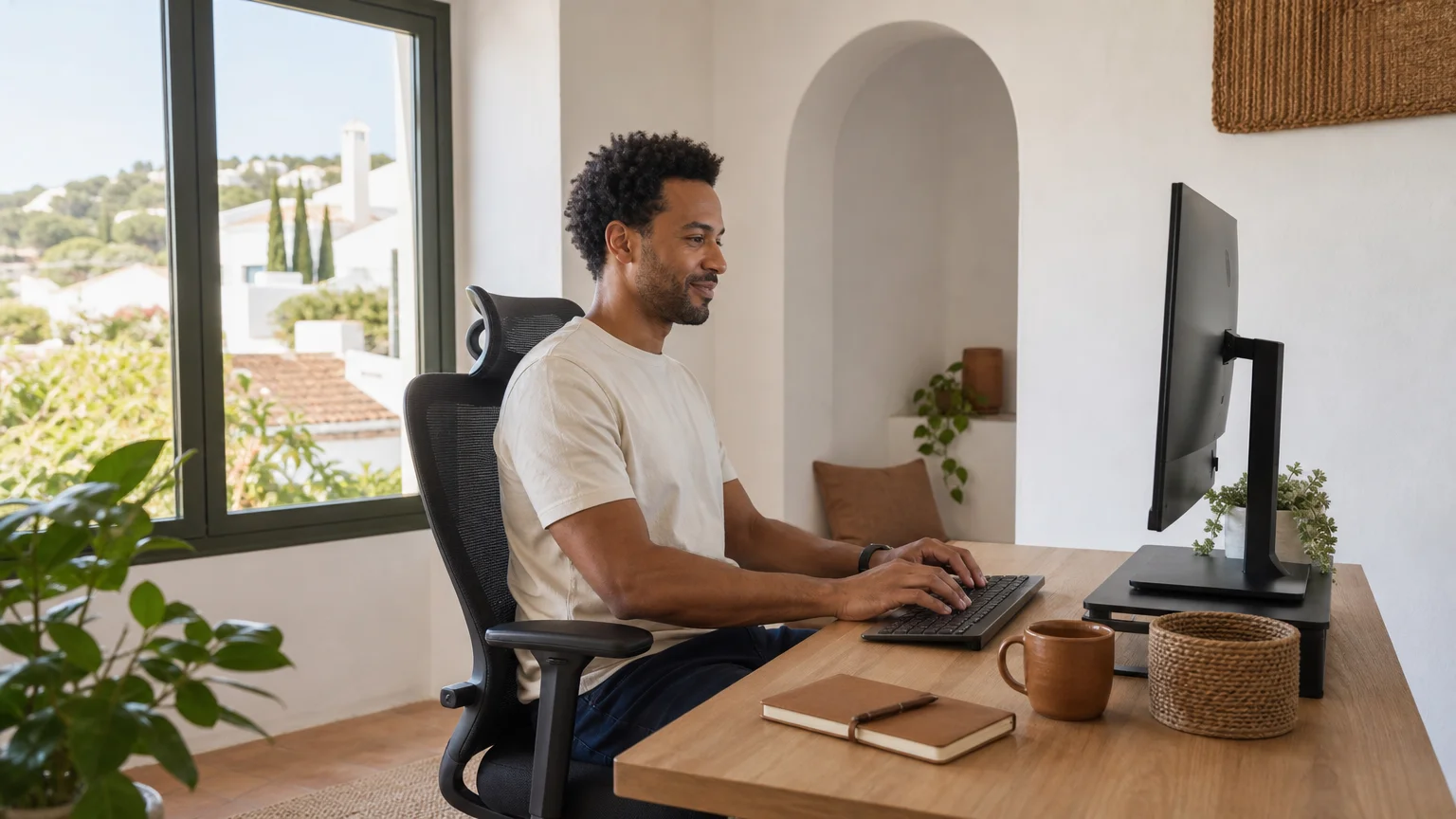
Summary: Create a remote office by giving work a consistent physical zone, then support it with ergonomic furniture, reliable technology, controlled light and noise, clear privacy habits, and defined working hours. The most effective setup does not copy a corporate office. It matches your tasks, protects your attention, and makes it easier to disconnect when the workday ends.
A remote office should do more than hold a laptop. It should help you enter work mode, maintain comfortable focus, and leave work behind at the end of the day. If you are searching for how to create an office environment when working remotely, begin with a dedicated space and a repeatable routine. Our 8 tips for a productive remote work routine can also help you connect your physical setup with your daily habits.
The right environment depends on your work. A designer may need a large display and accurate light, while a consultant may need privacy for calls and confidential documents. Instead of buying everything at once, identify the conditions that most often interrupt your attention, comfort, or communication, then improve those conditions first.
What space can become your office?
The best location is the one you can use consistently and define clearly. A separate room with a closing door is useful, but it is not essential. A quiet corner, a section of a dining room, or a compact desk beside a window can work when it has a stable purpose.
Choose an area away from the busiest household routes whenever possible. Kitchens, television areas, and entrances create frequent movement and visual interruptions. If you share your home, agree on working hours with the people around you. A closed door, desk lamp, headphones, or a small sign can act as a simple visual signal that you should not be interrupted.
When space is limited, create separation through repetition. Use the same chair, desk, lighting arrangement, and opening routine every day. If your desk must serve another purpose, clear it completely after work and restore the office layout before the next session. This prevents your work zone from becoming a permanent reminder of unfinished tasks.
Keep your immediate visual field simple. Place only frequently used items within reach, such as your keyboard, mouse, notebook, and water. Store paperwork, chargers, and rarely used equipment in drawers or shelves. A plant, framed photograph, or meaningful object can make the space welcoming without turning it into a source of distraction.
How can you make the setup physically comfortable?
Imagine finishing a long video call with a stiff neck, tired eyes, and aching shoulders. That discomfort is often a design problem rather than an unavoidable part of remote work. Your chair, desk, screen, and input devices should support a neutral posture for the tasks you perform most often.
Start with the chair. It should support your lower back, allow your feet to rest flat on the floor or a footrest, and let you adjust your sitting height. Your shoulders should remain relaxed while you type. If your chair is comfortable but lacks lumbar support, a firm cushion can provide a temporary improvement while you assess longer-term options.
A laptop placed directly on a desk usually forces you to look downward. Raise the screen with a stand or books, then use a separate keyboard and mouse. Position the top of the screen at or slightly below eye level, and keep the display far enough away that you can read without leaning forward.
Your desk should provide enough room for your primary equipment without making you twist or reach repeatedly. Frequently used objects belong close to your dominant hand. Printers, files, and other occasional tools can sit farther away, encouraging you to stand and move rather than remain in one position for hours.
Alternate positions throughout the day. A sit stand desk can help, but it is not a substitute for movement. Stand during a short call, walk while listening to an audio meeting, or use brief pauses to stretch your shoulders and change posture. Comfort comes from variation, not from finding one perfect position and holding it all day.
Why should your office match the work you actually do?
A remote office is not a miniature corporate office. It is a task environment. Your setup should distinguish between focused production, communication, administration, and recovery rather than treating every work activity as identical.
A 2026 longitudinal study examines how measurable environmental conditions in home and office workspaces relate to workload over time. Its approach supports a practical principle: the environment matters because it changes how demanding work feels, not because one location is automatically suitable for everyone.
For focused work, reduce visual clutter, silence unnecessary notifications, and place the screen at a comfortable height. For video calls, prioritize camera height, clear audio, a simple background, and light that reaches your face from the front or side. For creative work, leave enough surface area for notebooks, sketches, or physical references.

The same principle applies to the wider idea of an office. A 2026 workplace report based on data from 303 million square feet describes a shift toward workplaces designed as destinations for connection and experience, rather than collections of desks. At home, that can mean creating one area for deep focus and another place for calls, breaks, or informal conversation.
If your home cannot support those needs, our coworking spaces in Faro and the Algarve offer another way to separate concentrated work from domestic distractions. A change of setting can be useful when your work requires reliable equipment, quiet call space, or a more social professional atmosphere.
How should you control light, sound, temperature, and connectivity?
Small environmental problems become expensive when they repeat throughout the workday. Glare makes reading harder, inconsistent internet disrupts meetings, background noise fragments attention, and a room that is too warm can make sustained focus uncomfortable.
Place your desk near natural light when possible, but avoid positioning the screen directly against a bright window. Side lighting usually creates less glare than light behind or directly in front of the display. Add an adjustable desk lamp for darker hours, and use curtains or blinds when sunlight becomes harsh.
Control sound with the simplest method available. A door, rug, curtain, bookshelf, or soft furnishing can reduce echo and household noise. Noise cancelling headphones may help in shared homes, but they should not replace an agreement about interruptions. Decide when you can be disturbed, and create a clear exception for urgent situations.
Check your connection before purchasing more equipment. Place the router close to the workspace or use a wired connection when possible. Keep a mobile hotspot or alternate location in mind for important calls. Save essential files in an approved cloud system, and keep chargers and cables arranged so that a small technical problem does not become a long interruption.
Ventilate the room when practical, keep the temperature comfortable, and avoid placing equipment where it blocks airflow. Your office should feel fresh enough to support sustained attention without becoming an elaborate climate control project.
How can you protect privacy while staying connected?
A functional office must protect both information and relationships. Remote work can make confidential conversations easier to overhear and important communication easier to miss, especially when work takes place in a shared home or public setting.
Use employer approved devices, applications, and security procedures. Lock your screen when you step away, enable multi factor authentication when available, and avoid discussing sensitive matters where other people can hear. Keep printed documents in a drawer or cabinet, and dispose of them securely when they are no longer needed.
Privacy also includes visual privacy during calls. Check what appears behind you before joining a meeting. A neutral wall, bookcase, curtain, or carefully positioned room divider can provide a professional background without requiring a staged interior.
Connection requires structure as well as technology. A 2026 workplace report from Appspace’s 2026 research says 87% of respondents experience collaboration challenges in hybrid or remote environments. You can reduce that friction by documenting decisions, choosing the right channel for each message, and reserving video calls for topics that benefit from real time discussion.
Plan regular social contact as deliberately as you plan meetings. A short virtual coffee, a team walk, a shared lunch, or an occasional coworking day can restore informal conversation. If you work alone for long periods, our guide to deep work spots in the Algarve can help you think about combining concentration with a change of environment.
Which routines make the office feel real?
A room becomes an office through repeated behavior. Start work with the same short sequence, such as opening the blinds, filling a water bottle, reviewing priorities, and switching on a task lamp. These cues tell your mind that the workday has begun.
Set working hours that others can understand. Share your availability with household members and colleagues, then protect periods reserved for concentrated work. A published schedule also helps prevent remote work from expanding into every evening and weekend.
End the day with equal intention. Close applications, write down unresolved tasks, clear the desk, and leave the work area. A brief walk can replace the transition that a commute once provided. Changing clothes or preparing a meal can also mark the move from professional time to personal time.
Review the setup every few weeks. Note when your attention breaks, when discomfort appears, and when calls become difficult. Change one factor at a time, then assess whether the adjustment helped. This method is more reliable than buying several accessories without knowing which problem each one solves.
If you want a setting that combines private accommodation, focused work, and human contact, our perspective on why coliving can improve productivity explores how the surrounding community can support a healthier work rhythm.
What should you check before upgrading anything?
Use a short audit before spending money. Ask whether your current problem comes from space, posture, technology, noise, privacy, or routine. The answer will help you prioritize the improvement with the greatest daily effect.
- Space: Can you identify one consistent work zone?
- Comfort: Can you work without neck, back, wrist, or shoulder strain?
- Light: Can you read the screen without glare or harsh shadows?
- Sound: Can you complete focused work without repeated interruptions?
- Connectivity: Can you join calls and access files reliably?
- Privacy: Can you protect screens, documents, and conversations?
- Routine: Can you start and finish work at defined times?
- Connection: Can you maintain useful contact with colleagues and other people?
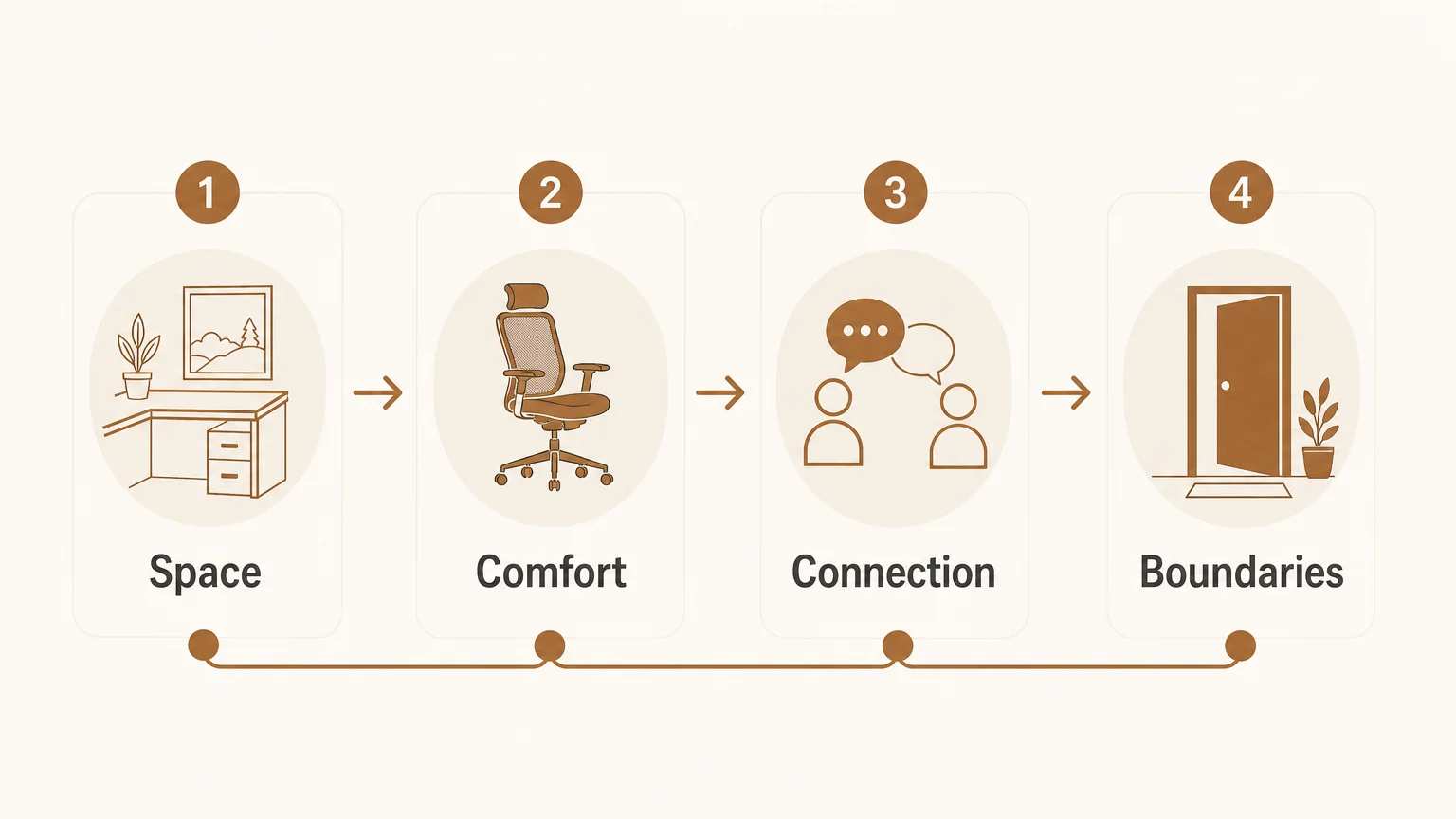
Upgrade in that order. A better chair may matter more than decorative accessories, while a stable connection may matter more than a second monitor. The goal is not to create a photogenic office. It is to create a dependable environment that supports your actual work and your health.
Create an office that supports your whole workday
A strong remote office combines a defined place, comfortable equipment, dependable technology, controlled distractions, privacy habits, and regular human connection. The most useful setup is personal rather than prescriptive. Start with the problem that interrupts you most often, make one practical change, and build routines that help you enter work mode and leave it behind. With time, even a small corner can become a professional environment that supports focus without taking over your home.
Take action with POMAR coliving
Sometimes the challenge is not motivation, but the lack of a setting that supports both concentrated work and a healthy daily rhythm. A professional workspace, private room, reliable connectivity, and opportunities for conversation can make remote work feel more intentional.
At POMAR coliving, you can combine private accommodation with coworking access, ergonomic work areas, high speed internet, on site hosting, community dinners, workshops, fitness options, and local Algarve activities. Explore coliving in the Algarve when you need a temporary base that brings work, recovery, and community into the same experience.
Frequently Asked Questions
What is the first step in creating a remote office?
Choose one consistent area and give it a clear work purpose. Even a small corner can work if you keep the layout stable and use a repeatable start and finish routine.
How can you create an office without a separate room?
Use a corner, divider, curtain, or furniture arrangement to create a visible boundary. Clear the space after work and agree on interruption signals with the people who share your home.
What equipment matters most for remote work?
Prioritize a supportive chair, a correctly positioned screen, a separate keyboard and mouse for extended laptop use, suitable lighting, and reliable internet. Add other equipment only when it solves a specific work problem.
How can you reduce distractions at home?
Work away from high traffic areas, silence nonessential notifications, and establish clear working hours. Rugs, curtains, headphones, and a closed door can help manage sound, but household agreements remain essential.
Can coliving help create a better remote office environment?
It can provide a clearer separation between living and working, along with professional workspace, connectivity, and social contact. POMAR coliving combines private rooms with coworking access and community activities for people who want a temporary work focused base.